Why Your WordPress Website Is Slow, Hard to Update and Losing Enquiries
If your WordPress website feels slow, awkward, or scary to update, you are not imagining it.
A lot of small business websites start out fine. Then a few years pass. A plugin gets added. Then another. The theme stops behaving. Someone changes one tiny thing and half the page moves. Forms become unreliable. Mobile pages load like they are being delivered by carrier pigeon.
At that point, the site is still technically online. But it is not doing its job properly.
For many Gold Coast businesses, an old WordPress site does not fail in one dramatic moment. It slowly becomes harder to use, slower to load, and worse at turning visitors into enquiries.
The site loads, but it feels heavy
Speed is one of the first signs that a WordPress site is starting to struggle.
You might notice pages taking too long to open on mobile. Images appear slowly. Buttons lag. The menu jumps around. Visitors tap once, wait, then leave because they have better things to do with their life.
That matters because people do not wait around for slow websites. They bounce back to Google, open the next result, and give someone else the enquiry.
Google also pays attention to performance. A slow site can make it harder to compete in search, especially if other local businesses have faster, cleaner pages.
Common causes include:
- oversized images
- cheap or overloaded hosting
- too many plugins
- old page builders
- bloated themes
- tracking scripts added over the years
- poor mobile optimisation
None of these sound exciting. That is the point. Most speed problems are boring technical problems stacked on top of each other. Very glamorous. Bring a tiny violin.
If speed is already a known issue, it is worth looking at proper website speed optimisation before assuming you need a totally new website.
Updating simple content has become a mission
A healthy WordPress site should not make you nervous every time you edit a sentence.
If changing a heading feels risky, something is wrong. If your team avoids touching the site because it might break, that is not a content management system. That is a hostage situation with a login screen.
Business owners often tell themselves this is normal because WordPress is "technical". It does not have to be.
In a well-built site, you should be able to update normal business content without needing a developer for every small change. Service descriptions, staff details, images, FAQs, testimonials, and basic page copy should be manageable.
When those updates become painful, a few things usually happen:
- old offers stay live too long
- service pages become outdated
- team details get ignored
- old photos stay on the site
- SEO content does not get improved
- new pages never get created
That is how a website slowly drifts away from the business it is meant to represent.
Plugins have become the default fix
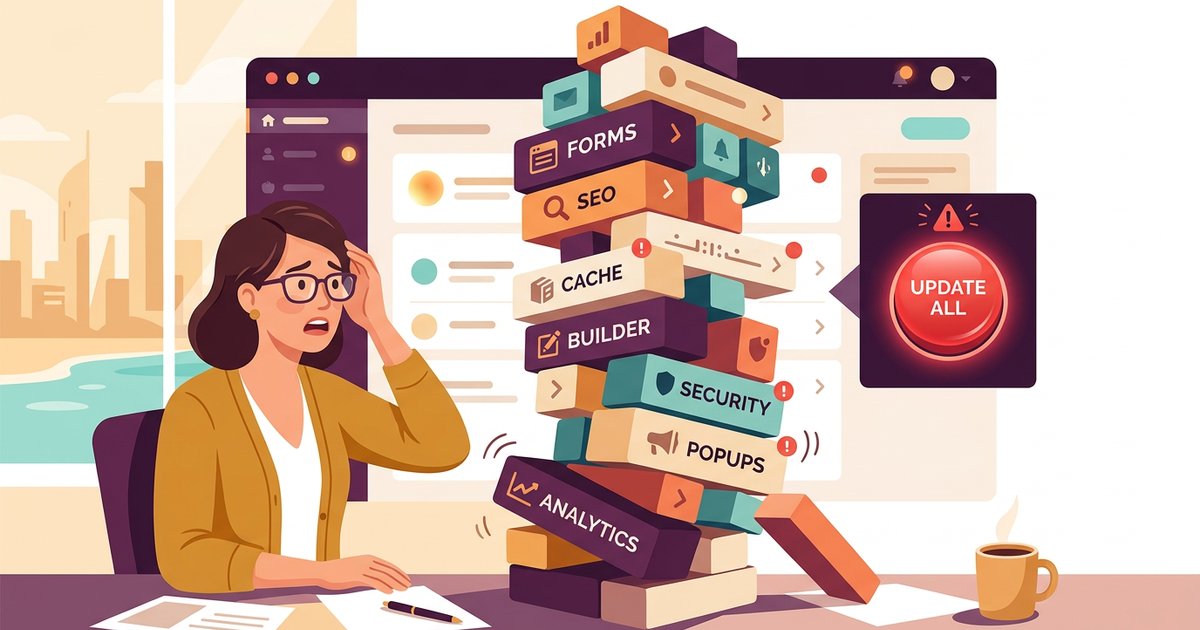
Plugins are useful. They are also one of the easiest ways to turn a WordPress site into a junk drawer.
Need a form? Add a plugin. Need a popup? Add a plugin. Need SEO settings? Add a plugin. Need speed improvements because all the plugins made the site slow? Add another plugin. Perfectly normal internet behaviour. Completely unhinged, but normal.
The problem is not plugins by themselves. The problem is using them as a strategy.
Too many plugins can cause:
- slower page load times
- security risks
- conflicts between tools
- broken layouts after updates
- harder maintenance
- higher support costs
If your site has a plugin for every tiny job, it might be time to review what is actually needed. Sometimes the fix is not adding more. It is removing the mess and rebuilding the important parts properly.
The design still looks okay, but enquiries have dropped
A website can look fine and still underperform.
This is where many business owners get caught. They look at the homepage and think, "It is not that bad." Maybe it is not. But the real question is not whether the site looks acceptable. The question is whether it helps people take action.
If enquiries have dropped, check the basics:
- Can visitors quickly understand what you do?
- Is the main call to action clear?
- Do service pages answer the questions buyers actually ask?
- Are contact forms working?
- Do buttons explain what happens next?
- Does the mobile version feel easy to use?
- Can Google read and understand the pages?
Small problems here can cost real leads. A vague button, slow mobile page, broken form, or confusing service page can quietly push buyers away.
If you are not sure whether the issue is design, traffic, SEO, or messaging, this guide may help: Is Your Website Actually the Problem, or Is It Traffic, SEO or Messaging?
Old WordPress builds can hold back SEO
SEO is not just keywords and blog posts. The website itself has to support the work.
An old WordPress build can make SEO harder if pages are slow, thin, messy, duplicated, hard to crawl, or badly structured. Google needs to understand what each page is about. If your site is sending mixed signals, rankings can suffer.
Common SEO issues on ageing WordPress sites include:
- missing or duplicated page titles
- poor heading structure
- old URLs with no redirect plan
- thin service pages
- slow mobile performance
- unused pages indexed in Google
- broken links
- outdated location pages
This is why a redesign should not just make the site prettier. A proper website redesign should protect and improve the foundations that search engines already understand.
If the site already ranks for some terms, you do not want to throw that away. You want to keep what works, fix what is weak, and make the next version easier for both customers and Google to use.
Your website might not need a full rebuild
Here is the annoying but useful answer: it depends.
Some WordPress sites only need a clean-up. Better hosting, image compression, plugin review, form testing, SEO fixes, and content improvements can make a big difference.
Other sites are too tangled to patch properly. If the theme is outdated, the page builder is bloated, the structure is messy, and updates keep breaking things, a rebuild may be the smarter long-term move.
A good audit should tell you which camp you are in.
You might only need optimisation if:
- the design still works
- the structure is clear
- the site is easy enough to edit
- most pages are useful
- the technical issues are fixable
You may need a rebuild if:
- updates regularly break the site
- the backend is confusing or fragile
- mobile performance is poor
- plugins are doing too much
- service pages no longer match the business
- SEO issues are baked into the structure
If you are wondering whether an old site can be moved without starting again, read Can You Move from an Old WordPress Site Without Starting from Scratch?
What to fix first
If your WordPress website is slow, hard to update, and not bringing enough enquiries, do not start by picking a new theme.
Start with the parts that affect performance and leads:
- test the site on mobile
- check page speed and Core Web Vitals
- review hosting quality
- audit active plugins
- check forms and tracking
- review top service pages
- check which pages get impressions in Google Search Console
- identify pages that rank but do not get clicks
- look for broken links, outdated pages, and missing redirects
This gives you a clearer decision. You can see whether the site needs focused repairs, proper optimisation, or a larger rebuild.
That beats guessing. It also beats letting a slow, awkward website quietly leak enquiries for another year.
The bottom line
A slow WordPress website is not just a technical nuisance. It can affect enquiries, trust, search visibility, and how easily your business can keep the site current.
If your website is hard to update, fragile, slow on mobile, or full of mystery plugins, it is worth getting it checked before you spend more money patching the wrong thing.
Spray Media helps Gold Coast businesses improve, rebuild, and optimise WordPress websites so they are easier to manage and better at turning visitors into enquiries.
If your site feels like it is held together with plugins and hope, start with a practical WordPress review. Hope is not a maintenance plan. Annoyingly.

Written by
Mark SprayMark is the founder of Spray Media, a Gold Coast web design and digital marketing agency. With over 100 projects delivered and consistent 5-star reviews, he helps small businesses and tradies get more customers through websites that actually rank on Google. Before Spray Media, Mark built a national weighted blanket company recognised in Australian Parliament for its community employment initiatives.